Every payment, invoice and adjustment rolls up into Simusim's finance reports — and into a real double-entry ledger underneath. This tour covers the reports hub, a worked Trial Balance, and the general ledger an auditor will ask for.
finance.simusim.comAdmin~10 min
§ 01The reports hub
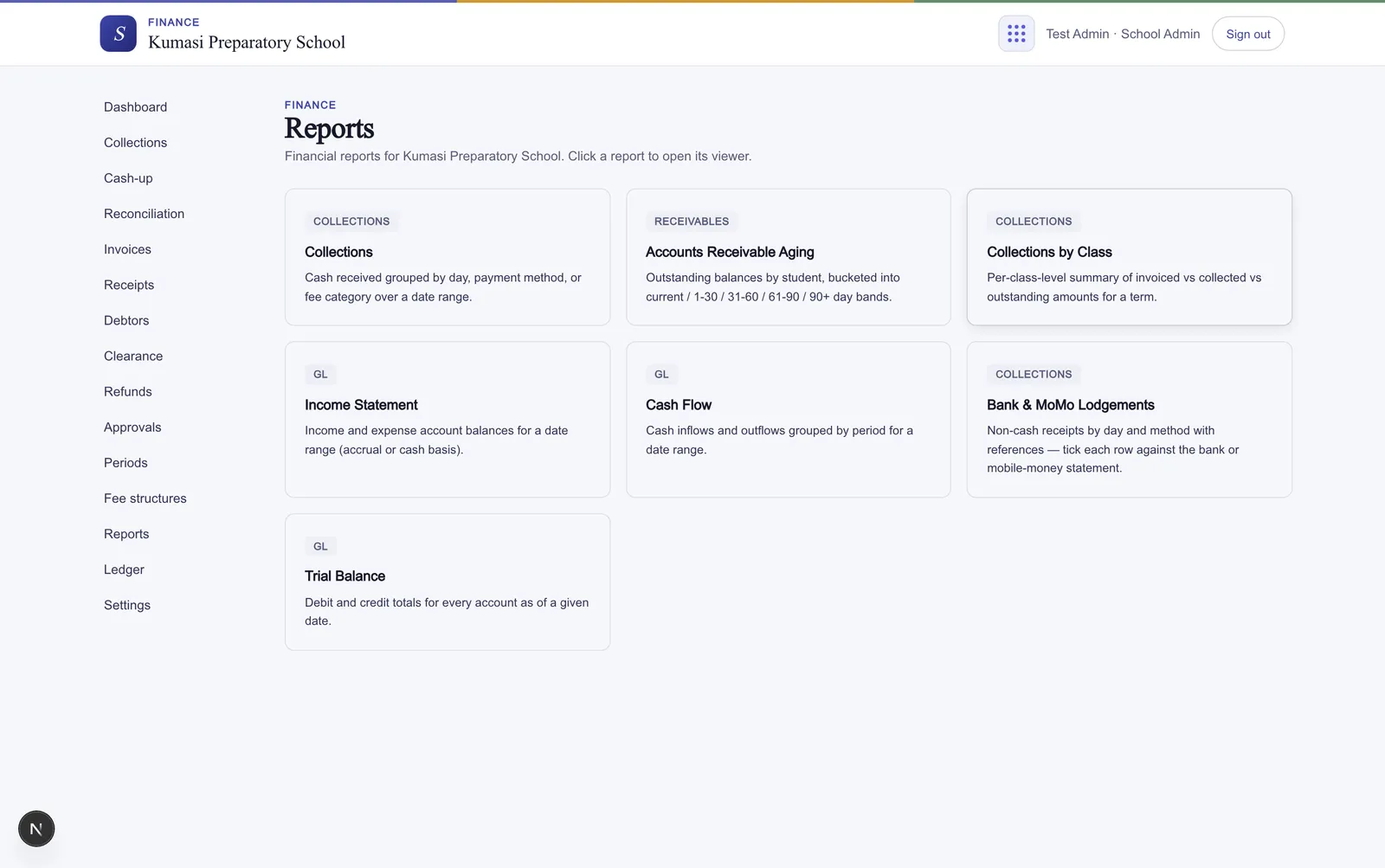
Open Reports for the full set. Each report runs over the parameters you choose — usually a date range or a term — and every one exports or downloads as a table or CSV, so you can hand it straight to your accountant or paste it into a spreadsheet.
Fig.The Reports hub — pick a report, set the date range or term, and run it.
Report
What it shows
Collections
Cash received grouped by day, payment method, or fee category over a date range.
Accounts Receivable Aging
Outstanding balances by student, bucketed into current / 1-30 / 31-60 / 61-90 / 90+ day bands.
Collections by Class
Per-class-level summary of invoiced vs collected vs outstanding amounts for a term.
Income Statement
Income and expense account balances for a date range (accrual or cash basis).
Cash Flow
Cash inflows and outflows grouped by period for a date range.
Bank & MoMo Lodgements
Non-cash receipts by day and method with references — tick each row against the bank or mobile-money statement.
Trial Balance
Debit and credit totals for every account as of a given date.
§ 02Example: the Trial Balance
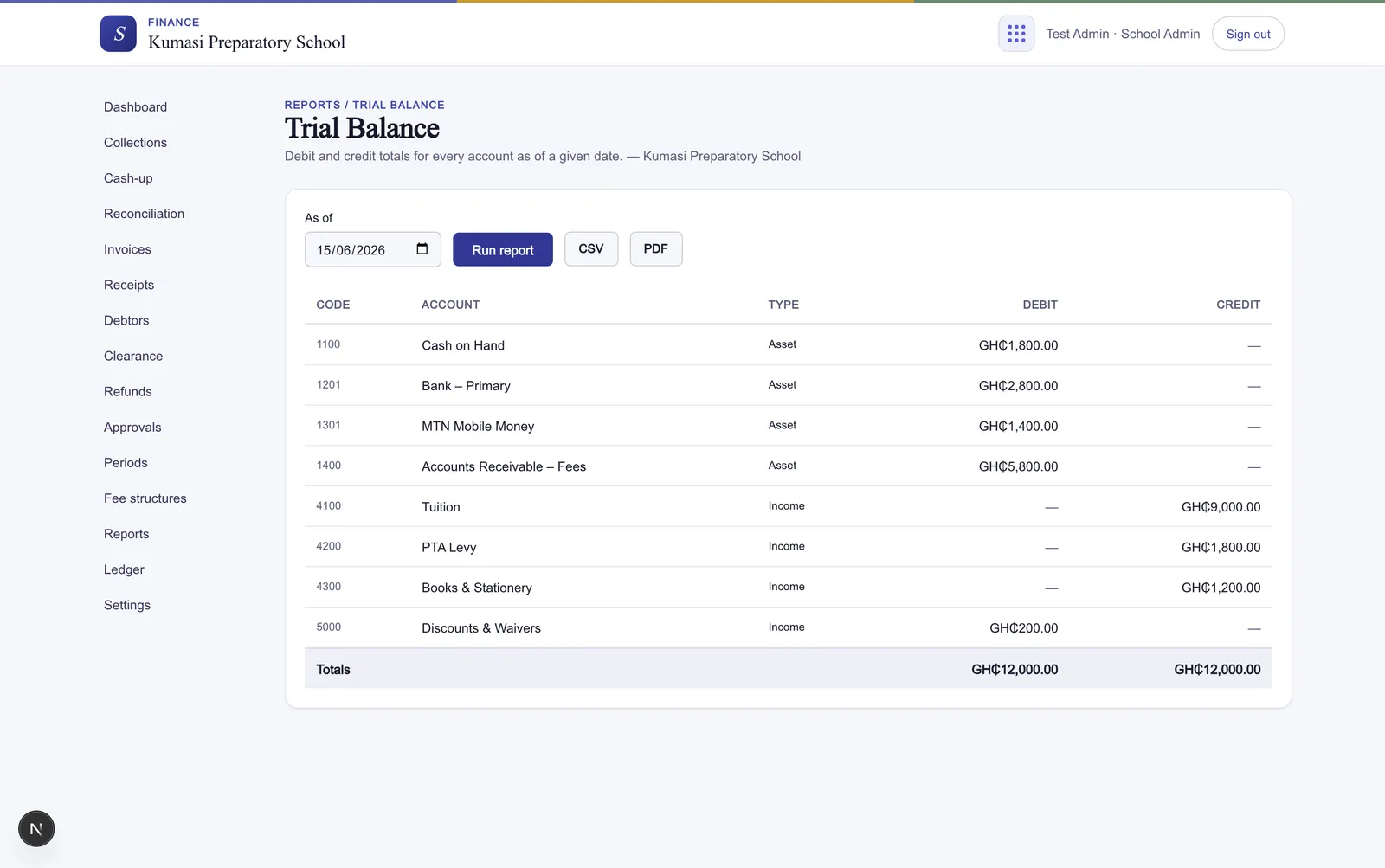
The Trial Balance is the quick integrity check that the books balance. Pick an as-of date and run it — Simusim lists the debit and credit totals for every account, and the column totals at the foot must be equal. If they are, your double-entry is consistent; if they're ever not, something is wrong and it's worth a closer look.
Fig.Debit and credit totals for every account as of the chosen date — the totals should match.
Reading it
A balanced Trial Balance proves the entries are internally consistent. It doesn't prove every payment was recorded — for that, reconcile the Bank & MoMo Lodgements report against your statements.
§ 03The general ledger
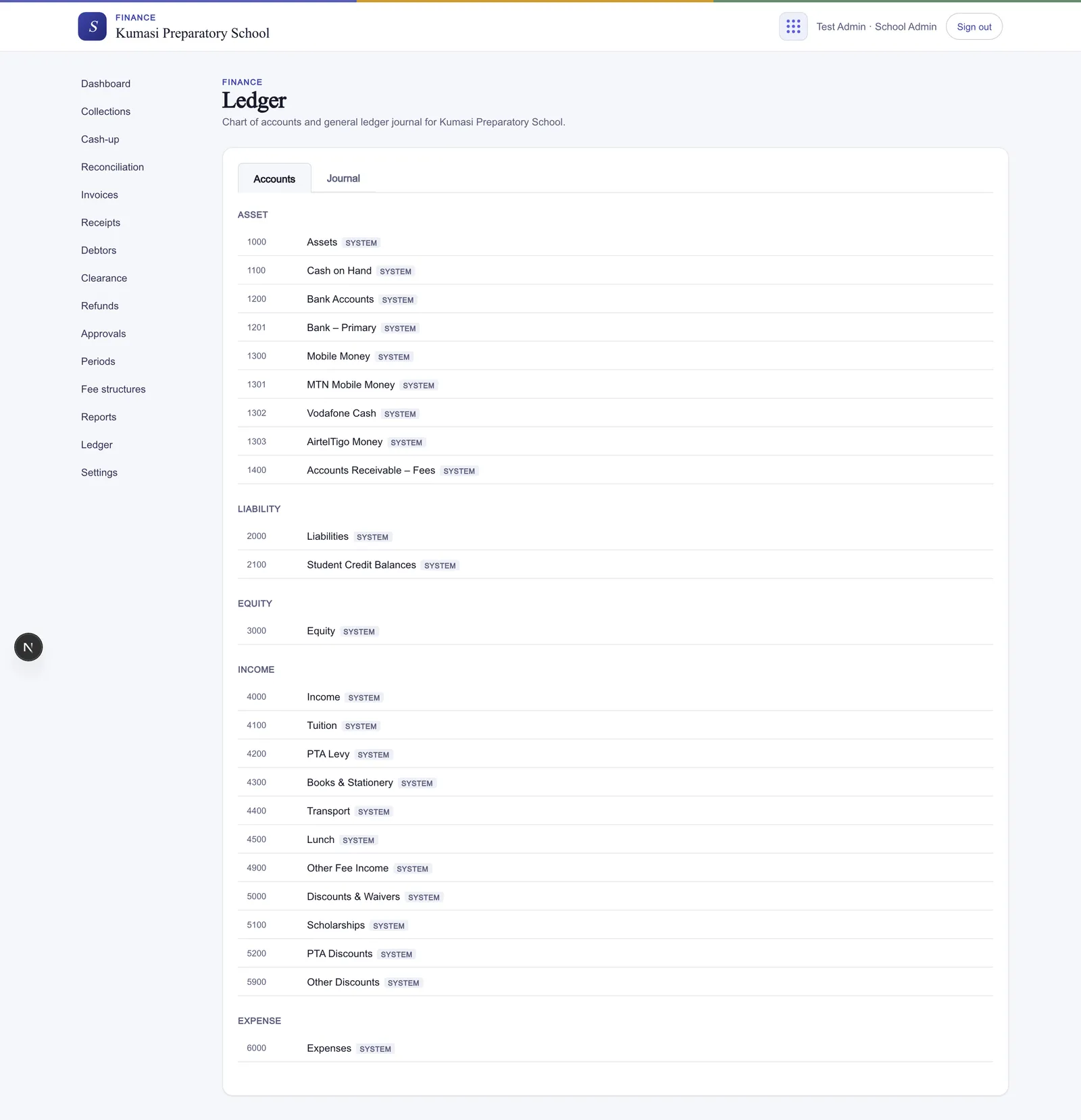
The Ledger (admin) is the accounting layer behind every report. Simusim keeps light double-entry automatically as you collect fees and post adjustments — you don't write journal entries by hand — but the ledger is there in full so an admin or auditor can see exactly what moved where.
Fig.Two tabs — the chart of accounts with live balances, and the journal of every entry.
It has two tabs:
Accounts — the chart of accounts, one row per account showing the Account code, name, Type (Asset, Liability, Equity, Income, Expense), and live Balance.
Journal — every entry, with its Date, Description, and the debit/credit accounts and amounts. Drill into any entry to see its full lines; press Reverse to post a clean reversing entry (you give a reason) rather than deleting anything.
Next
When the books don't tie out, the Troubleshooting guide walks through the usual causes.