A school can now follow more than one curriculum at the same time — run Ghana NaCCA and Cambridge International as separate streams under one roof. Each class belongs to a single stream, and everything that touches it (levels, subjects, grade scale, report card) follows automatically. Here is how to set it up and what it means in practice.
Setup: platform staff + school adminsNaCCA · Cambridge · any future frameworkZero disruption for existing schools
§ 01What it is & who does what
A curriculum is the national or international framework that defines a school's teaching programme — Ghana NaCCA, Cambridge International, and so on. It is not the same as a country: Cambridge has no country affiliation and can be run anywhere.
On this platform, a school can adopt more than one curriculum and run them as parallel streams. A class is placed in exactly one stream when it is created. From that point on, the class's available levels, its subject list, its grade scale, and the bands on its report cards all derive from that stream — the two streams never mix on a single class or report card.
Who
What they control
Platform staff
Curate the global curricula catalog — add new frameworks, mark which one is the country default for new schools.
School admins
Adopt (enable) curricula from the catalog, set the school default, assign a curriculum to each class.
Teachers & gradebook
See only the subjects and grade scale for their class's curriculum. No configuration needed.
Existing schools — zero change
All schools created before this feature were automatically backfilled to Ghana NaCCA. Nothing changed for them: their classes, subjects, grade scales, and report cards are exactly as they were.
§ 02Adopting curricula
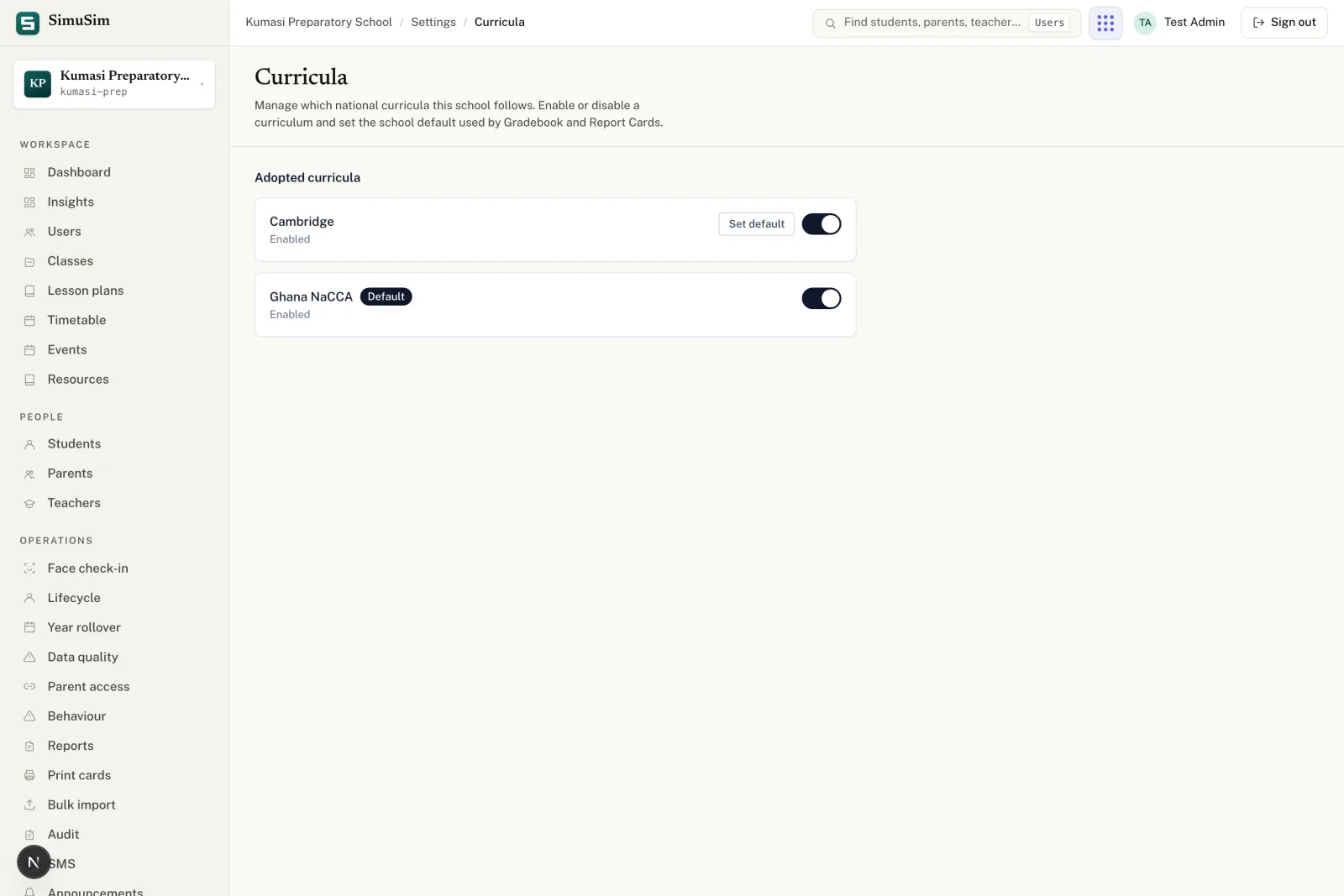
Go to Settings → Curricula in School Admin. The page lede reads: "Manage which national curricula this school follows. Enable or disable a curriculum and set the school default used by Gradebook and Report Cards."
The page is divided into two parts. The Adopted curricula section lists every curriculum the school has already enabled, each showing whether it is the current default. Below that, the Adopt a curriculum picker lets you add a new one.
In the Adopt a curriculum section, choose a framework from the dropdown and press Adopt. It moves immediately into your Adopted curricula list.
To make it the school default, press Set default on its row. The default is used when a new class is created without an explicit curriculum choice, and it seeds Gradebook and Report Cards.
To remove a curriculum, press Disable. If any class still uses it, you will see: "This curriculum still has active classes and cannot be disabled." Move or archive those classes first.
Fig.The Curricula settings page. Ghana NaCCA is the default; Cambridge has been adopted as the second stream.
Note
You cannot disable the school's current default curriculum. Switch another curriculum to default first, then disable the old one.
§ 03Putting a class in a stream
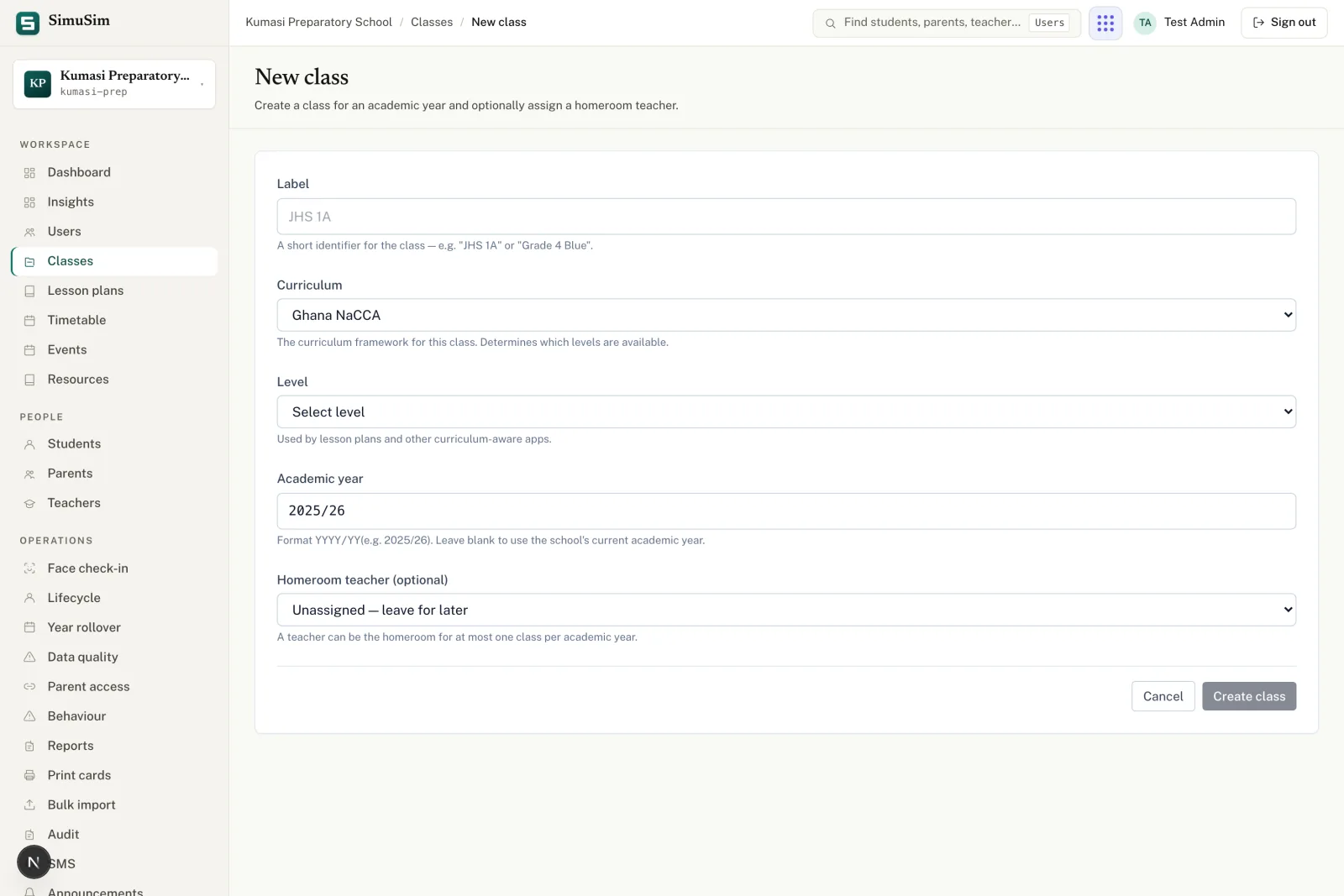
When you create a new class (Classes → New class), the form includes a Curriculum field. Its helper text reads: "The curriculum framework for this class. Determines which levels are available."
Choosing a curriculum immediately updates the Level dropdown to show only the levels defined for that framework:
Curriculum
Available levels
Ghana NaCCA
Nursery (N), Kindergarten (KG), Basic 1–9 (B1–B9)
Cambridge International
Stage 1–9
If the school has only one adopted curriculum, that curriculum is pre-selected and the field is not shown. If the school has multiple adopted curricula, the field defaults to the school's current default.
Fig.Selecting Cambridge International in the New class form switches the Level list to Stages 1–9.
Curriculum is fixed after creation
A class's curriculum cannot be changed once students are enrolled. If you need to move a class to a different stream, archive it and create a new one.
§ 04Subjects per curriculum
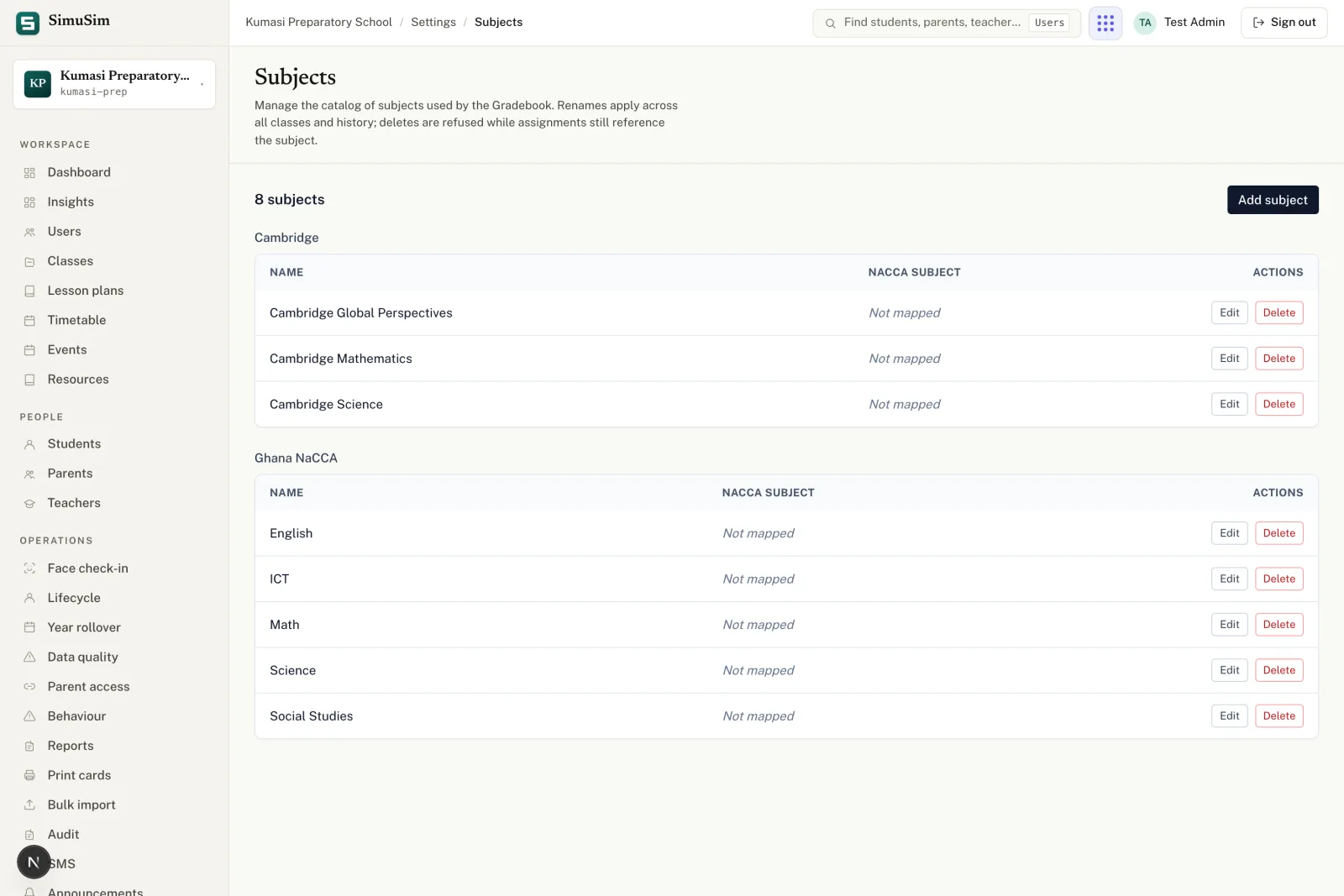
Subjects are scoped to a curriculum. Go to Settings → Subjects to see the subject catalogue grouped by curriculum. The same subject name (e.g. "Mathematics") can exist once per curriculum — the NaCCA Mathematics and the Cambridge Mathematics are separate entries and can have different details.
When a teacher opens the gradebook for a class, they see only the subjects belonging to that class's curriculum. There is no risk of a NaCCA subject appearing on a Cambridge report card.
Fig.Subjects grouped by curriculum. Each curriculum's subjects are managed independently.
Tip
Renaming a subject applies everywhere within that curriculum — including historical gradebook records. A subject can't be deleted while any class in that curriculum still uses it.
§ 05Grade scales per curriculum
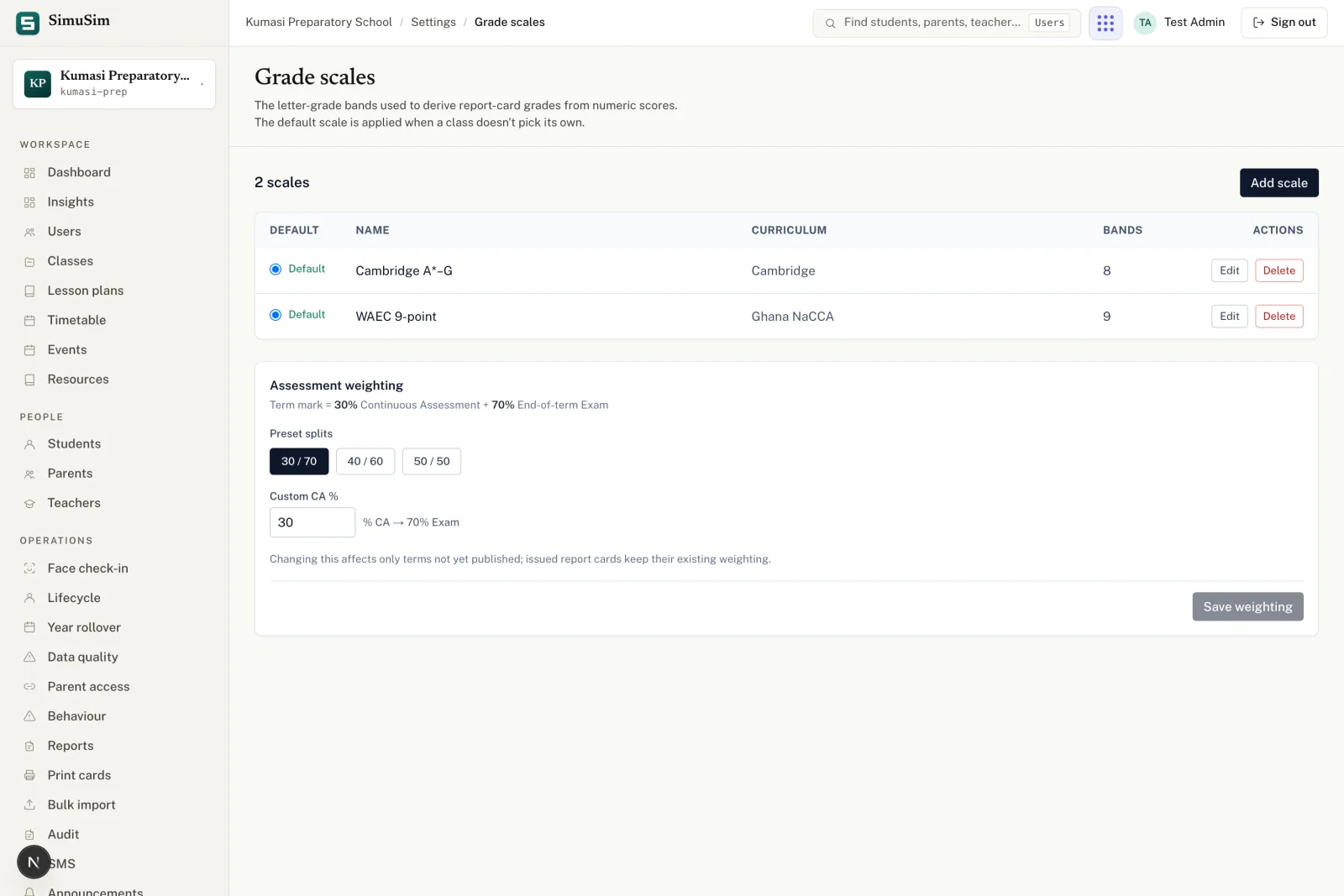
Each curriculum has its own default grade scale. Go to Settings → Grade scales to see and manage them. The scale grouping follows the same curriculum tabs as subjects.
Curriculum
Built-in default scale
Ghana NaCCA
WAEC 9-point scale: A1 (highest) through F9; each band maps a score range to a letter and remark.
Cambridge International
Cambridge A*–G scale; each band maps a score range to the Cambridge letter grade.
You can add custom scales within each curriculum or edit the built-in bands. When a report card is generated for a class, it uses the grade scale belonging to that class's curriculum — not the school's generic default.
Fig.Grade scales are kept per curriculum. The NaCCA 9-point scale and the Cambridge A*–G scale are independent of each other.
§ 06Report cards per stream
When you publish a term and generate report cards, each student's card is built from their class's curriculum. That means:
The subjects listed on the card are the subjects for that class's curriculum only.
The grade bands printed on the card (e.g. A1–F9, or A*–G) come from the curriculum's active grade scale.
A student in a NaCCA class and a student in a Cambridge class sitting in the same school get different report card formats — the system never mixes the two streams on a single card.
There is no extra configuration needed: once a class is assigned its curriculum, the report card follows automatically.
Downloading in bulk
The Download class bundle action on the report-cards page packages all cards for one class into a single PDF. Because a bundle is always scoped to one class (and therefore one curriculum), the formatting is consistent throughout the bundle.
§ 07The global catalog & new schools (platform staff)
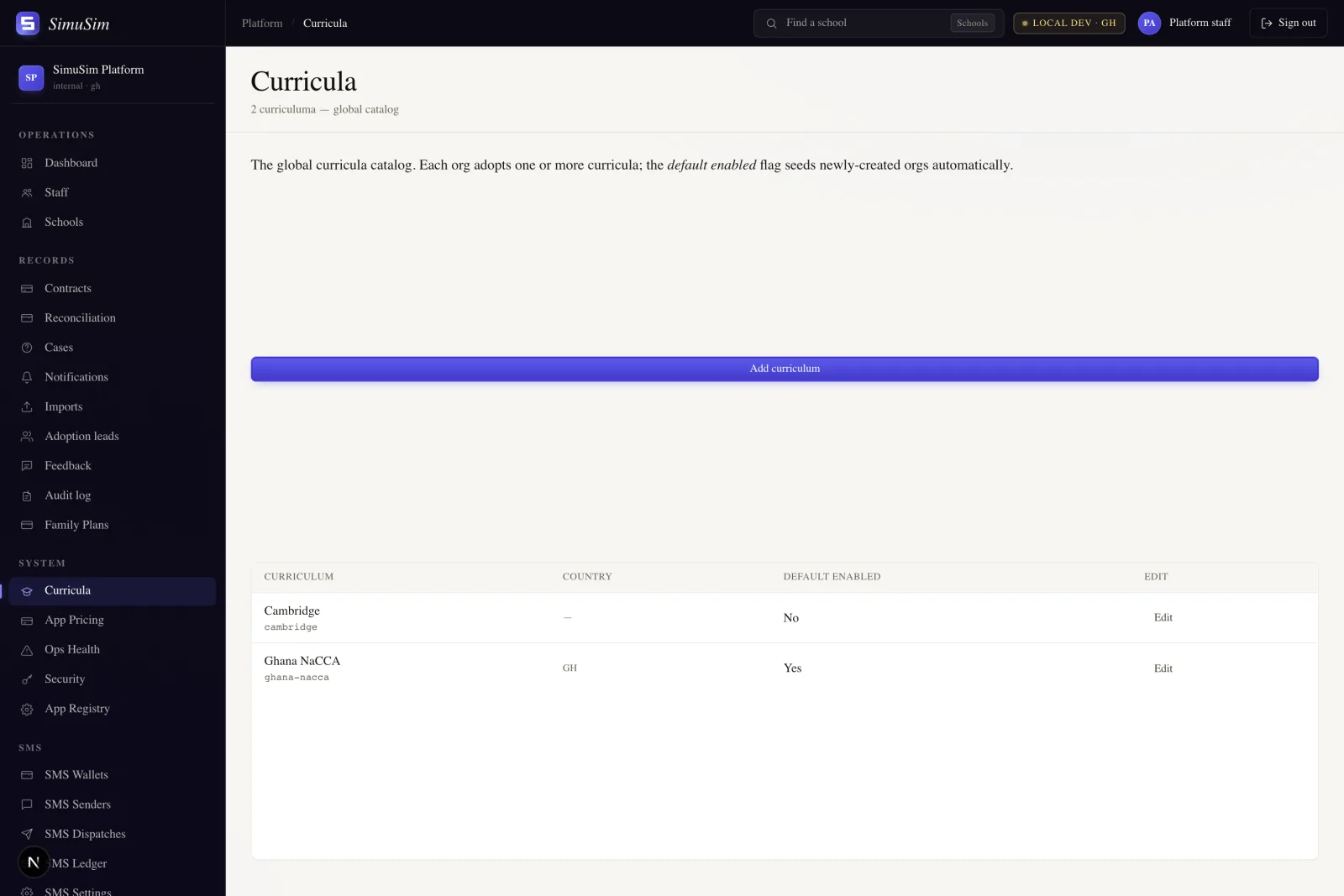
Platform staff manage the master list of curricula at Platform Admin → Curricula. The page describes this as: "The global curricula catalog. Each org adopts one or more curricula; thedefault enabledflag seeds newly-created orgs automatically."
Each catalog entry has a name, an optional country, and a Default enabled flag. When a new school signs up, the platform automatically adopts every curriculum whose country matches the school's country. For example, a Ghanaian school gets Ghana NaCCA adopted automatically. Cambridge International carries no country, so it is never auto-adopted — a school admin must adopt it manually from their Curricula settings.
Fig.The global curricula catalog in Platform Admin. Ghana NaCCA is default-enabled for Ghana; Cambridge has no country and must be adopted explicitly.
Adding a new framework
To add a new curriculum (e.g. a West African BECE-specific framework), fill in the name, select the country if applicable, and decide whether it should auto-adopt for new schools in that country. Existing schools are not affected — they would need to adopt it manually.