At the end of the year, roll your whole school forward in one pass — promote classes, graduate the final year, archive the old classes, and switch the school's current year to the new one.
~10 minOnce a yearOperations → Year rollover
§ 01Before you start
Rollover moves students from this year's classes into next year's. First, handle anyone who is leaving rather than progressing — withdrawals and transfers belong in Student lifecycle, not rollover. Then make sure this year's classes are correct.
Do exits first
Record withdrawals and transfers in Lifecycle before rolling over, so only continuing students are promoted.
§ 02Preview promotions
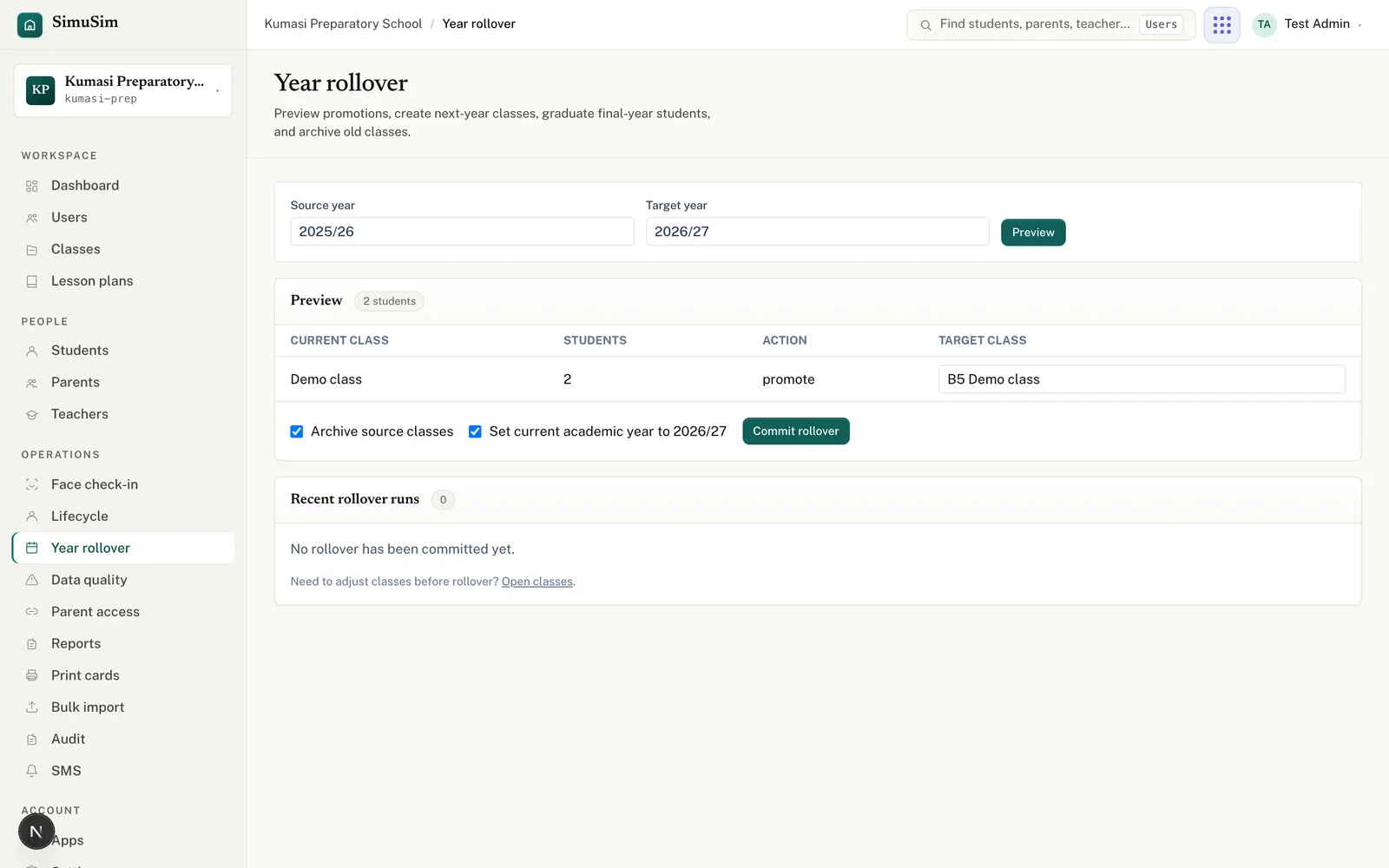
Open Year rollover. Enter the Source year (e.g. 2025/26) and Target year (e.g. 2026/27) and press Preview. You get a table of every source class, how many active students it has, the action to take, and the target class.
Fig.The preview is non-destructive — nothing changes until you commit.
§ 03Choose an action per class
promote — move the class's students into the named Target class in the new year (edit the target class label inline).
graduate — for your final year; these students graduate out rather than moving up.
review — park a class you're not sure about. While any class is set to review, the rollover can't be committed — resolve them to promote or graduate first.
§ 04Commit the rollover
Decide on the two options: Archive source classes (tidies away this year's classes) and Set current academic year to the target (makes the new year the default everywhere).
Press Commit rollover. The new classes are created and students moved.
Check Recent rollover runs at the bottom to confirm the run is recorded.
After committing, set up the new year's term calendar and you're ready to run another year.