Marking attendance
Homeroom teachers mark their class every day. It takes under a minute once you know the moves — and Simusim protects your work with autosave and a clear marking window.
~7 minStaff ConsoleHomeroom teachers
Homeroom teachers mark their class every day. It takes under a minute once you know the moves — and Simusim protects your work with autosave and a clear marking window.
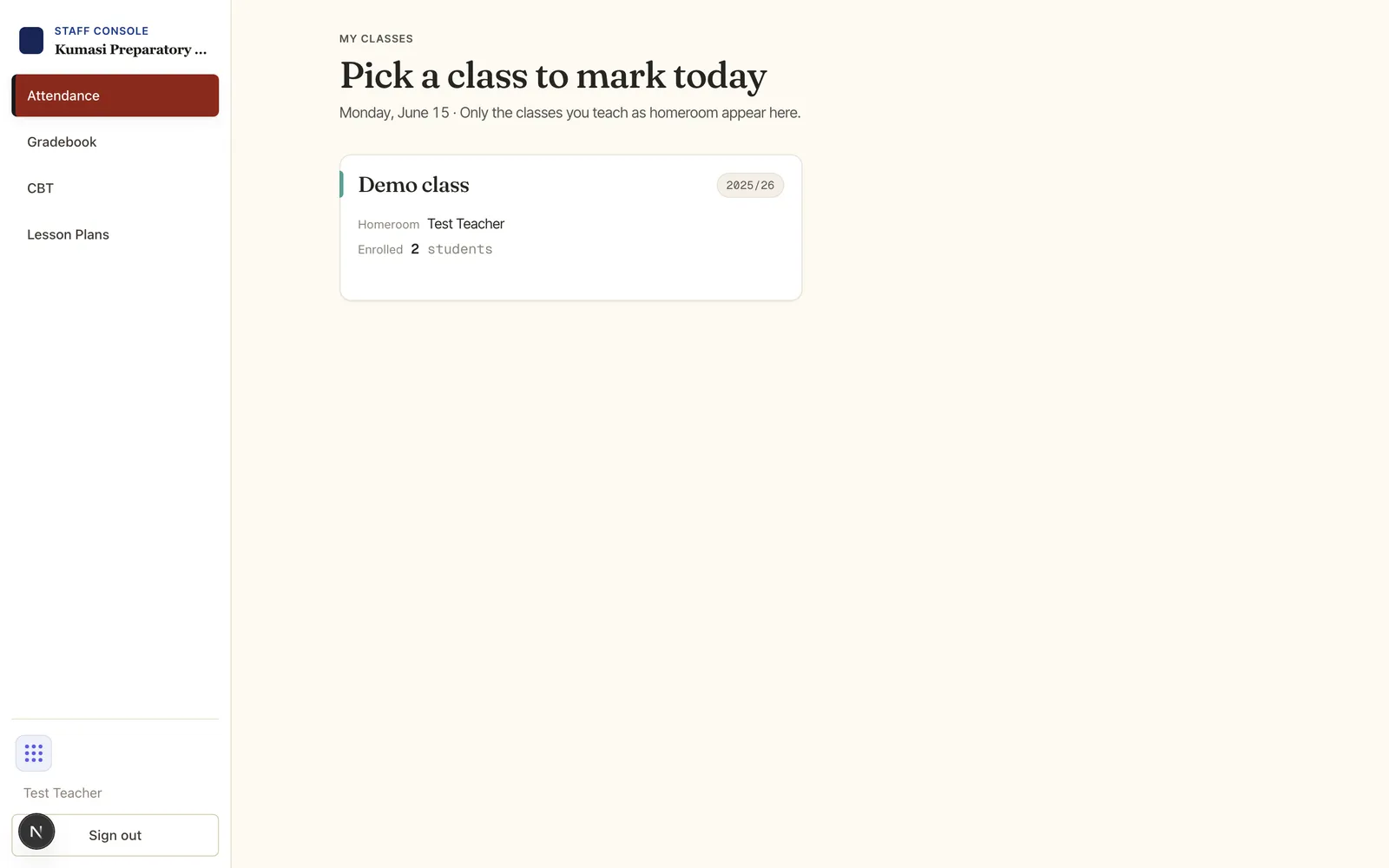
In the Staff Console, open Attendance. You'll see the classes you teach as homeroom, each with today's marking status. Press Open on the class.
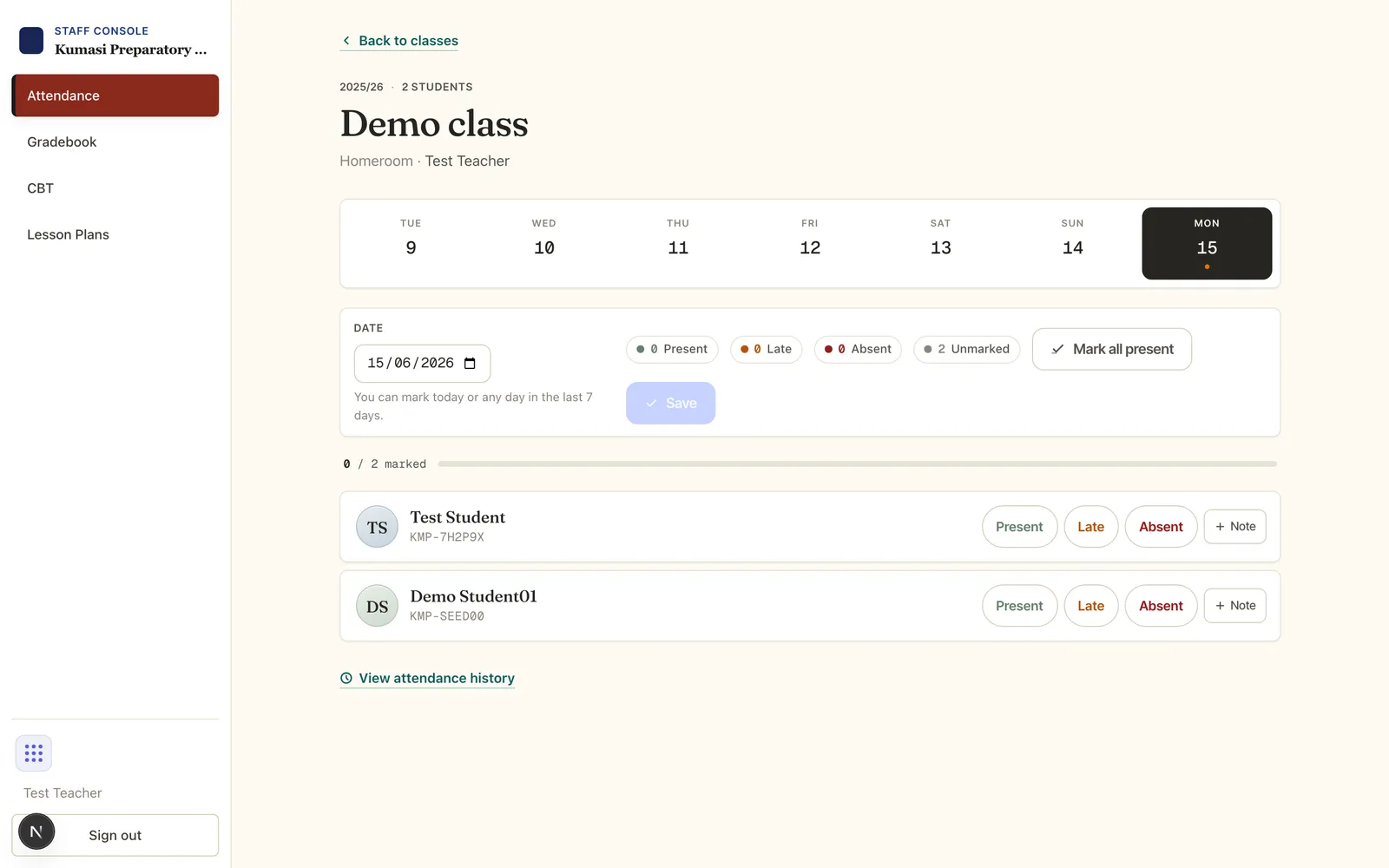
When you mark a student Late or Absent, an Excused toggle and a reason picker appear. Choose a reason — Sick, Medical appointment, Bereavement, Travel, Religious observance, School activity, Suspension or Other. Several of these tick Excused for you automatically. (A Present mark never carries a reason.)
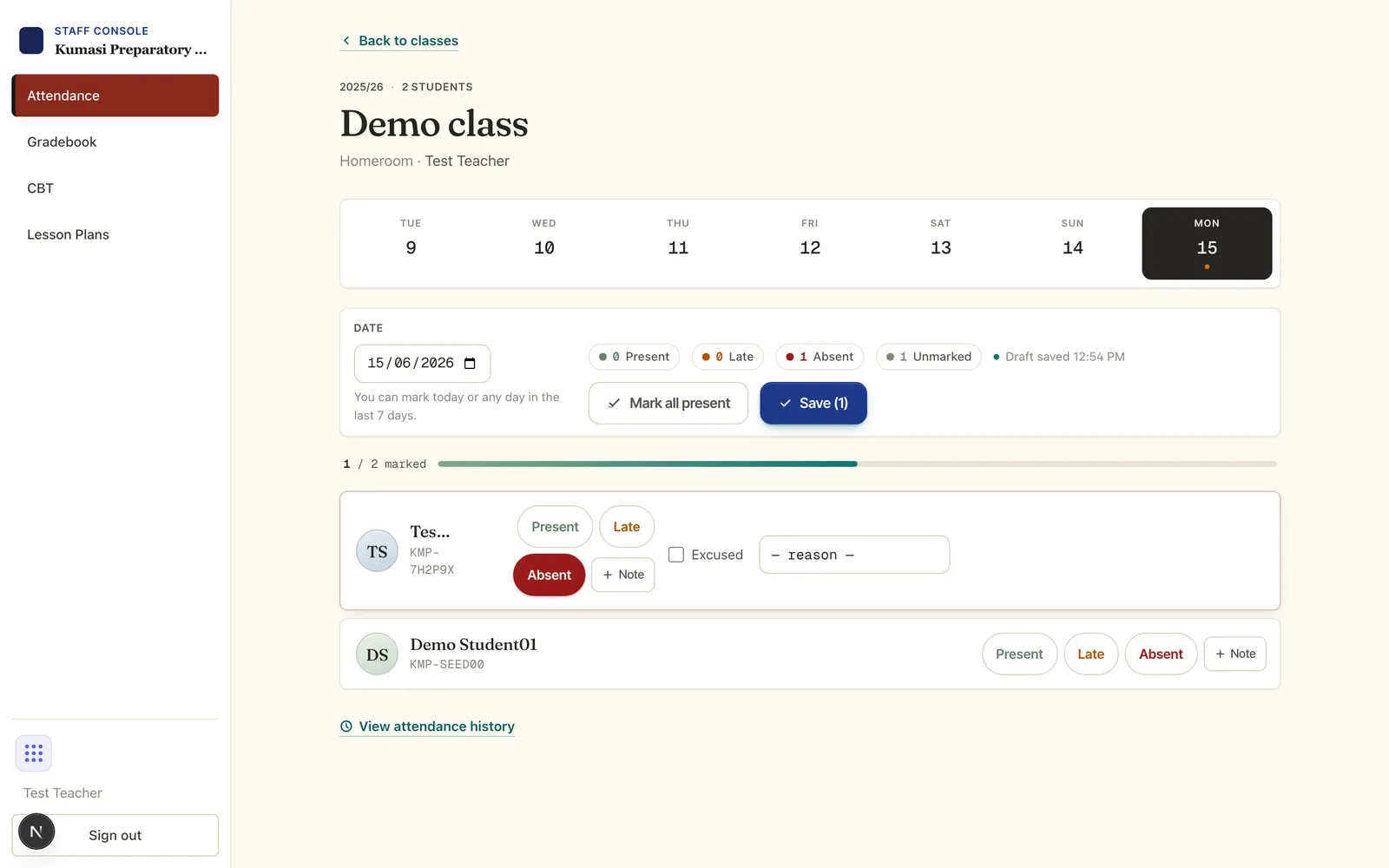
Marked someone wrong? Saved rows show a Correct button that opens a small inline form to fix that one student — no need to re-save the whole class.
You can mark today or any day in the last 7 days. Pick an older date and you'll see a notice that it's outside your window — ask a school admin to backfill it. Marking a past (but in-window) date is recorded as a late entry.
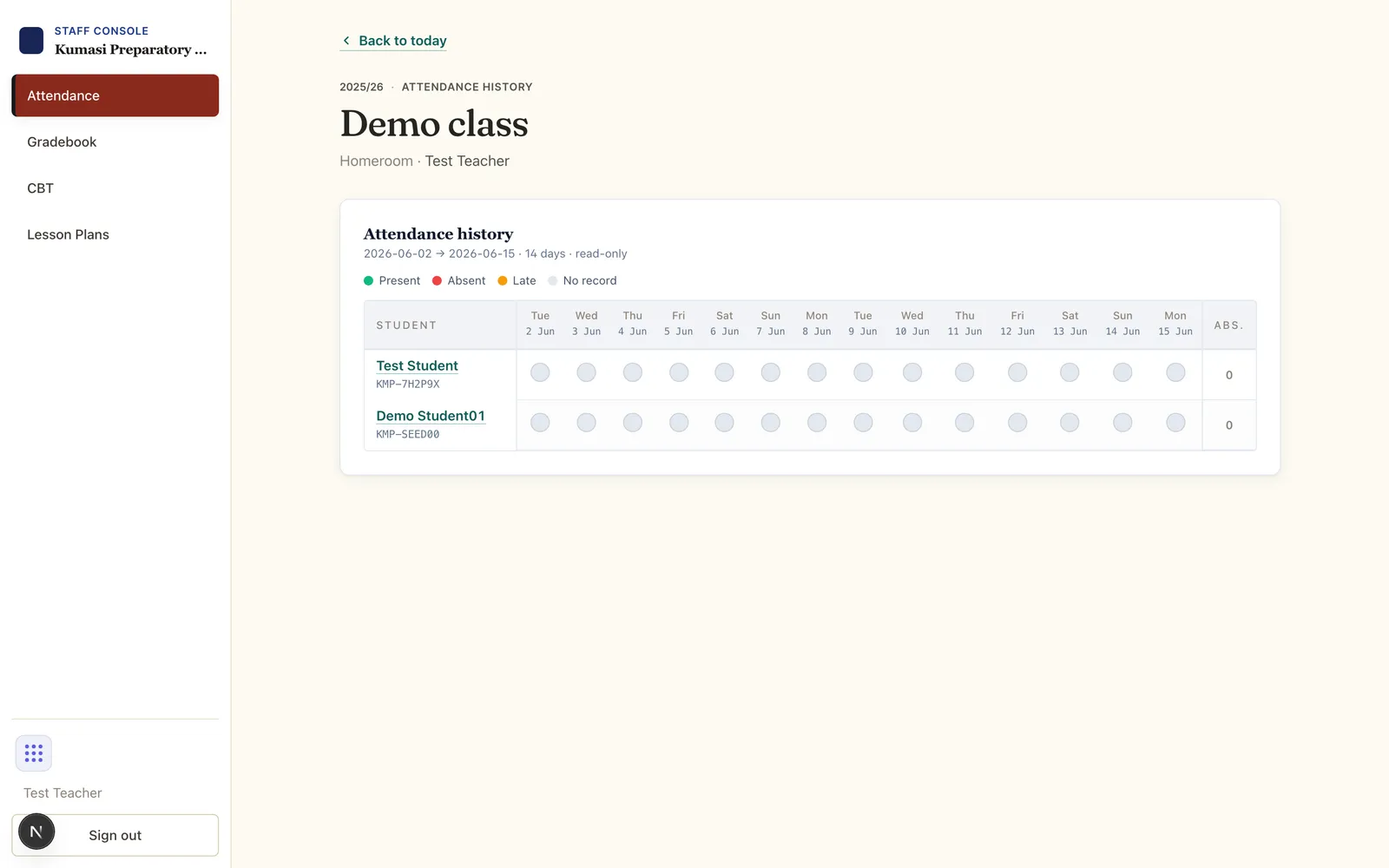
The View attendance history link opens a read-only grid of past markings for the class, so you can review a week or a particular student at a glance.
Email us and a real person on the Simusim team will get back to you. School staff can also reach us through their school's usual support channel.